Measure your typing speed in just one minute and get immediate insights into your current performance. It's a fast way to benchmark your skills without committing to a long practice session. Perfect for quick self-assessments anytime.
View your Words Per Minute (WPM), Characters Per Minute (CPM), typing accuracy, and mistakes as soon as the test begins. Live statistics let you understand how well you're performing from the very first keystroke. Use the results to identify areas that need improvement.
A one-minute typing test fits easily into your daily routine, whether you're taking a short break or warming up before work or study. Frequent short sessions help reinforce good typing habits. Even a minute of focused practice can make a difference over time.
Restart the test as many times as you like to compare your performance with previous attempts. A new typing passage appears each time, allowing you to challenge yourself with different text. Regular comparisons help you track gradual improvements.
Choose from available typing sound effects, including Bubble, Click, Quack, or mute them completely. Personalizing the audio feedback creates a practice environment that matches your preference. Stay focused with the settings that work best for you.
Open the typing test from your preferred web browser and start practicing in seconds. Whether you're using a desktop, laptop, or other compatible device with a physical keyboard, you can quickly measure your typing performance.

Other useful information
Explore our visual guides and infographics
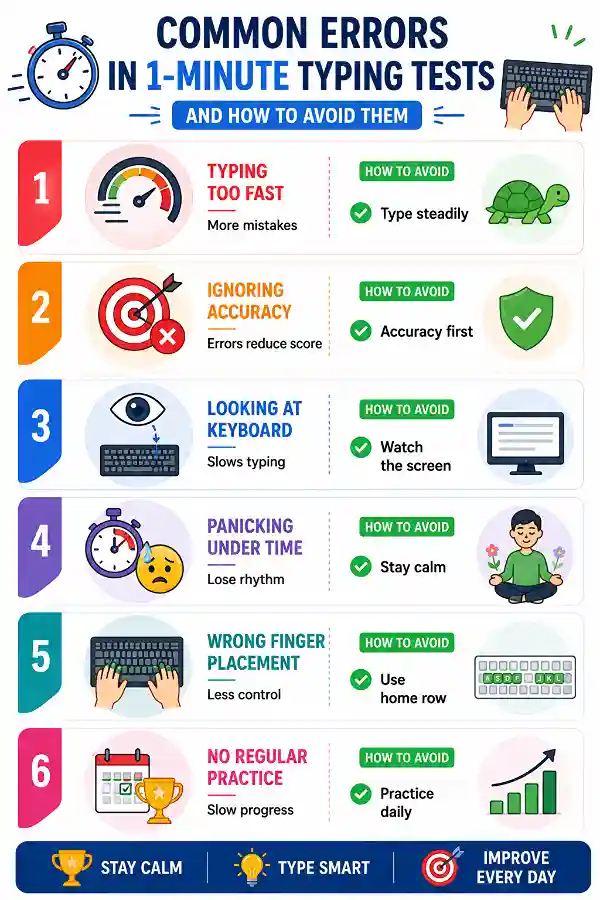
This infographic highlights common errors in a 1-minute typing speed test and provides tips on how to avoid them.
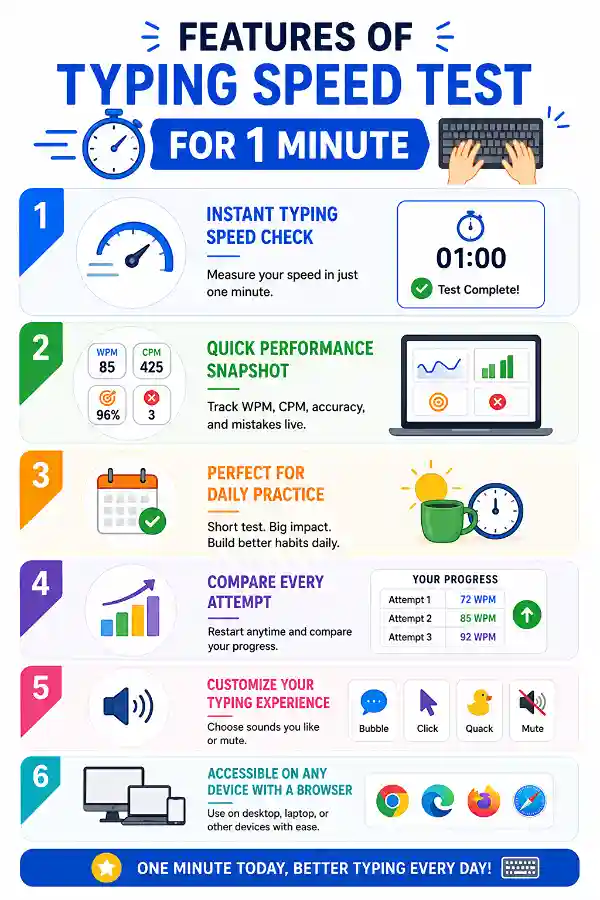
This infographic for features of typing speed test for 1 minute highlights key aspects
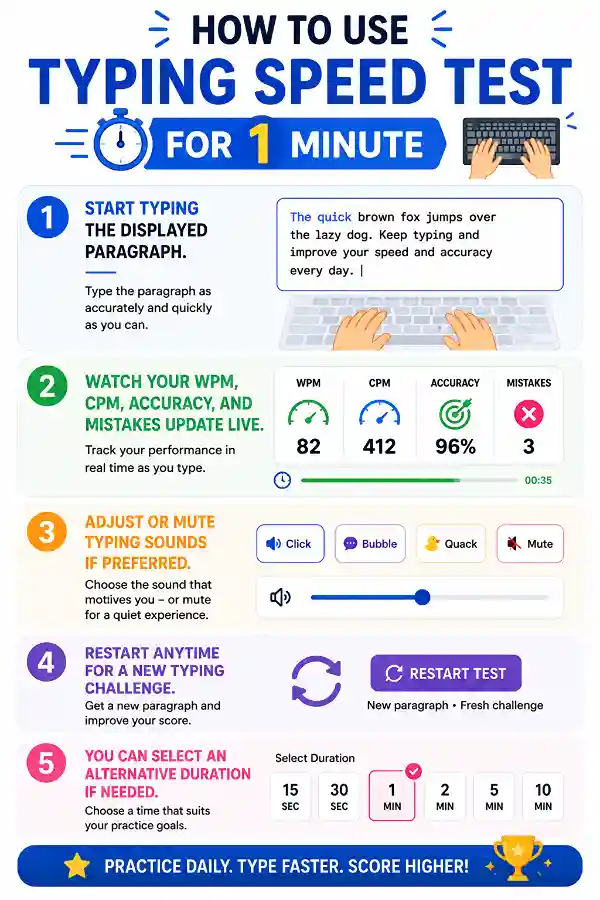
This infographic depicts the step-by-step guide to the typing speed test for 1 minute.
Frequently Asked Questions
Take a deep breath before you begin and focus on typing accurately instead of rushing. Staying relaxed usually produces better speed and fewer mistakes than trying to type as fast as possible.
Different mouse can have different DPI settings, which affect how far the cursor moves with the same physical movement. Using the Mouse DPI Calculator helps determine and adjust DPI values so users can achieve a more comfortable cursor movement. This is especially useful when switching between gaming mice or setting up a new workstation.
Over 150k Users Rely on Our Hardware Tester Tools Monthly
Join a growing community of creators who trust hwtests.com for testing keyboard,mouse,typing and many more