Why Use a CPS Test?
Unlike a simple click counter, a CPS test measures your clicking speed within a fixed time. It is commonly used by gamers, competitive players, and anyone who wants to benchmark mouse clicking performance, compare different clicking techniques, or check whether their mouse responds accurately during rapid clicking.
What is a CPS test?
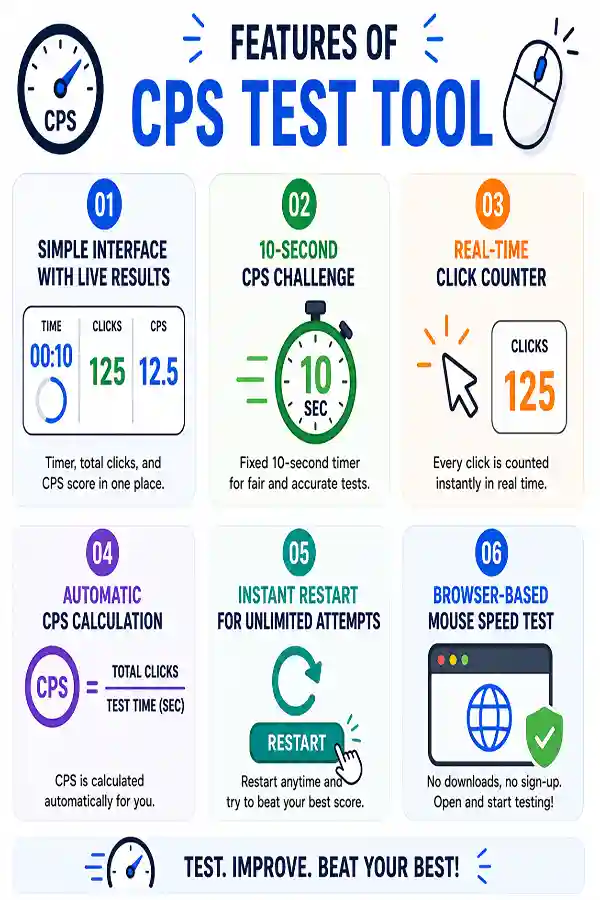
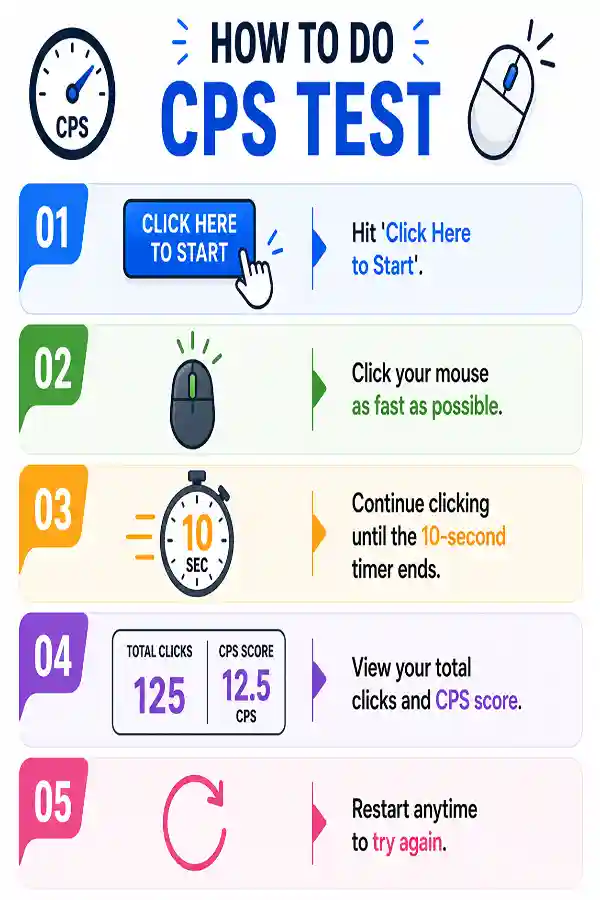
A CPS (Clicks Per Second) Test measures how many mouse clicks you can perform within a fixed time period. It calculates your average clicking speed and displays your total clicks along with your CPS score.
How is CPS calculated?
CPS is calculated by dividing the total number of mouse clicks by the duration of the test. For example, if you click 70 times in 10 seconds, your average CPS is 7.
Why is the test limited to 10 seconds?
A fixed 10-second duration provides a balanced way to measure clicking speed while reducing the impact of very short bursts or long-term fatigue. It also makes results easier to compare.
Can I take the CPS test multiple times?
Yes. You can restart the test as often as you like. Unlimited attempts let you compare different clicking techniques and monitor improvement over time.
Does the CPS test measure mouse quality?
No. The tool measures your clicking speed, not the overall quality of your mouse. However, inconsistent click registration during the test may indicate a hardware issue.
Why does my CPS score change every attempt?
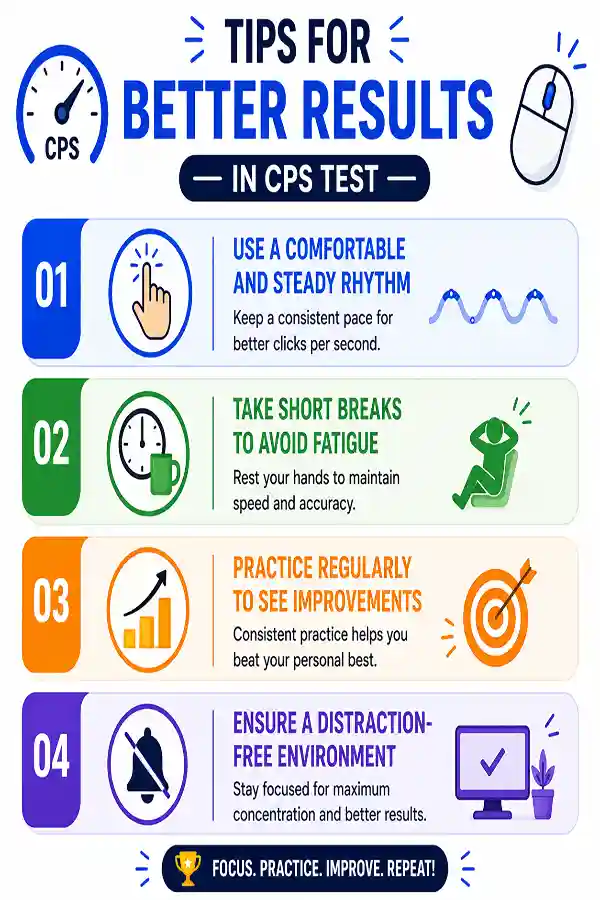
Small variations in rhythm, concentration, and clicking technique can affect your results. It's normal for your CPS score to differ slightly between sessions.
What is considered a good CPS score?
A good CPS score depends on your clicking technique and experience. 1 to 4 CPS is slow, 5 to 7 CPS is average, 8 to 10 CPS is fast, 10 to 14 CPS is very fast (often using jitter clicking), and 15+ CPS is considered elite, usually achieved with advanced methods like butterfly clicking or drag clicking.
Does internet speed affect the CPS test?
No. The click counting happens within your browser, so normal internet speed has little effect once the page has loaded.
Can I use any mouse?
Yes. Most wired, wireless, and Bluetooth mice work with the CPS Test as long as they are recognized by your computer.
Does the tool count every click?
Yes. Every valid mouse click made during the active test is counted and included in your final score.
Why are some clicks not registering?
This may happen if your mouse switch is worn out, the button isn't fully pressed, or the operating system misses rapid inputs. Testing with another mouse can help determine the cause.
Is the CPS test useful for gamers?
Yes. Many gamers use CPS tests to benchmark clicking speed and compare different clicking techniques for games that involve rapid mouse input.
Can I use the touchpad instead of a mouse?
Yes, but a touchpad generally produces different results than a physical mouse. For consistent benchmarking, it's recommended to use the same input device each time.
Does the test support left and right mouse buttons?
The test is designed specifically for the left mouse button and counts clicks made with the primary clicking button. Right mouse button clicks are not supported and will not be included in the final result. Use the left button in the designated testing area for accurate CPS measurement.
Can I improve my CPS?
Yes. Regular practice, better hand positioning, and experimenting with different clicking techniques can help improve your clicking speed over time.
Does the tool save my previous scores?
No. Your results are displayed for the current session only.
Can I compare different mice with this test?
Yes. Running the same test with different mice can help you compare how each device feels during rapid clicking.
Can I use the CPS Test on a laptop?
Yes. You can use it on laptops with an external mouse or a compatible touchpad, though results may differ depending on the input device.
Can CPS test results help improve my clicking speed?
Yes, the CPS Test allows users to measure their current clicks per second and track improvement over multiple attempts. By practicing regularly, users can understand their clicking rhythm and identify which clicking methods provide better results.
Why does my CPS score change every time I take the test?
Your CPS score can vary because of clicking technique, hand movement, mouse response, and consistency. Small differences are normal, especially when testing different clicking styles or using different mice.
Why choose a 60-second spacebar test instead of a 1-second test?
A 1-second test measures quick burst speed, while a 60-second test focuses on endurance and consistency. By using the
60-second spacebar counter, users can understand how their spacebar performance changes during extended pressing sessions. This makes it useful for long-duration keyboard testing.
Why does my mouse stop dragging randomly?
Random drag interruptions may happen due to worn mouse switches, connection problems, or inconsistent button detection. The
Drag Test helps identify whether your mouse is maintaining a stable hold during movement. This can help determine if the problem is related to the mouse hardware.